

Acronis Advanced Security + EDR
- Home Page
- Solutions
- Acronis Security Solutions
- Acronis Advanced Security + EDR
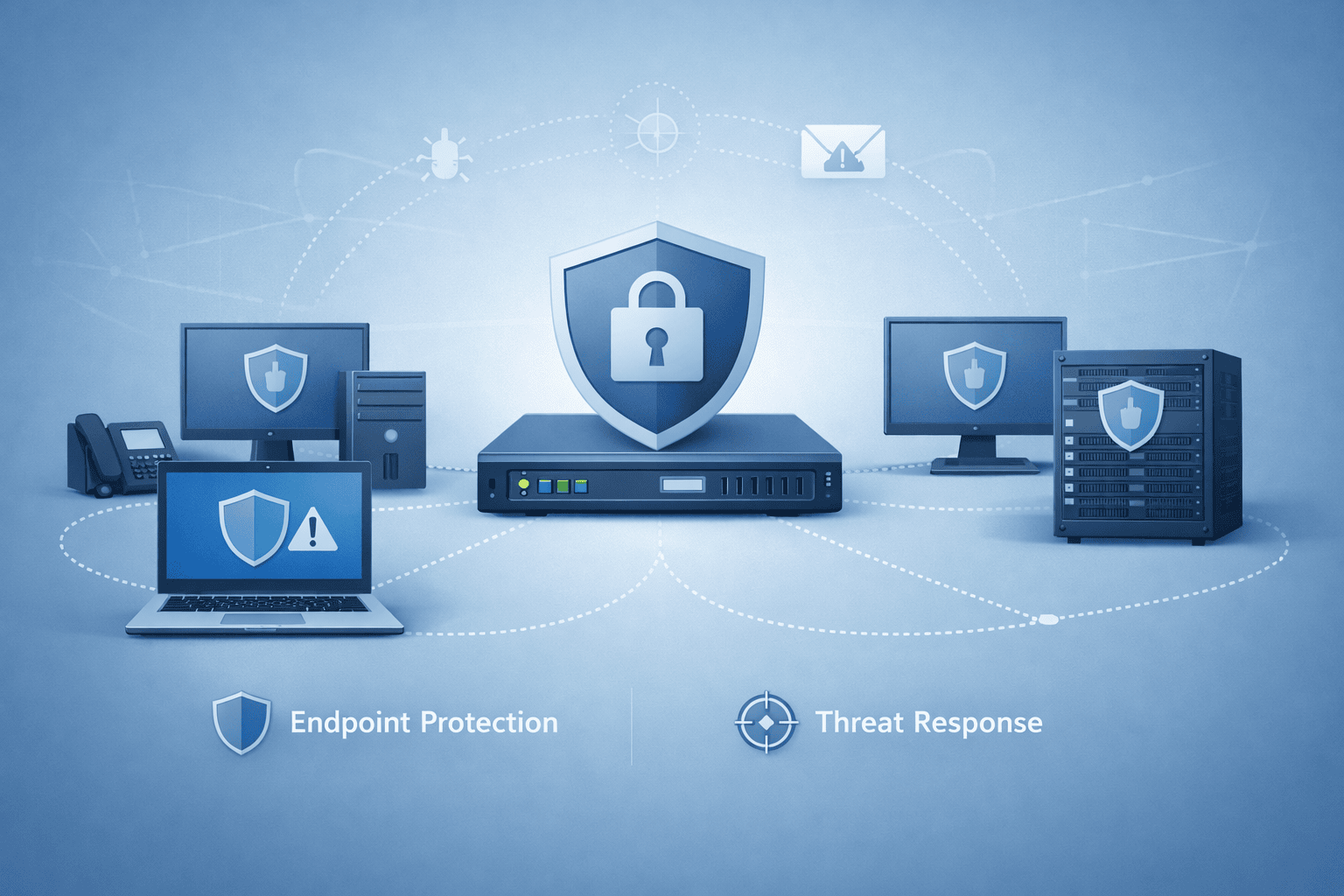
Acronis Advanced Security + EDR
Acronis EDR, AI-powered, and against the ever-increasing volume of cyber-attacks, organisations need a complete “Identify, Protect, Detect, Intervene and Recover” framework. Solution, maximises business continuity by combining security and backup capabilities on a single platform.
The main features of the platform are as follows:
- Integrated Response: Isolating the endpoint in the event of an attack, quarantine and the ability to recover data with one click thanks to integrated backup.
- Smart Analytics: Fast situation detection with attack analyses mapped according to MITRE ATT&CK standards and event summaries generated by artificial intelligence.
- Business Continuity: Quickly rollback files affected by the attack (Rollback), safe recovery and disaster recovery (DR) integration.
- Operational Ease: Event prioritisation, remote connection, reduce administrative burden with tools such as device wipe and patch management.
- Flexibility and Integration: Compatible with Microsoft Defender, general API support and ease of SIEM/SOAR integration for MSP/MSSPs.
In short, by combining cyber security and data protection instead of complex point solutions, it increases resistance to attacks and shortens recovery time.
One-click response to attacks for unrivalled business continuity
Prevail where point solutions fail - harness the full power of integration between cybersecurity, data protection and endpoint security configuration management with one-click incident response:
- Optimise: By isolating endpoints and quarantining threats.
- Find out more: Using remote connections and forensic backups.
- Prevent future attacks: By closing open vulnerabilities.
- Ensure business continuity: With integrated backup and recovery.
Attack specific rollbacks (Rollbacks) Quickly and easily undo attack damage, including affected files, data and configurations, making it easy to remediate without relying on the vulnerable Microsoft Volume Shadow Copy Service (VSS) that most solutions use.
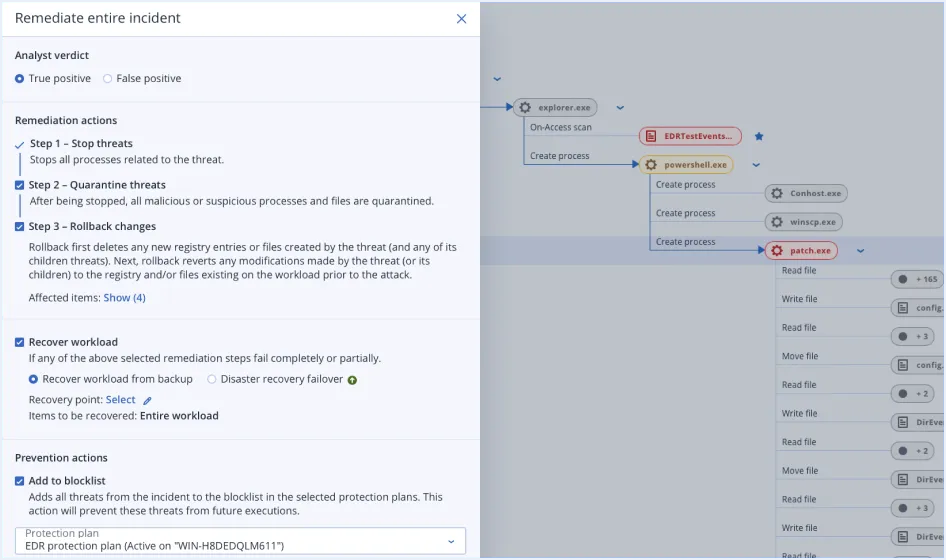
Attack specific rollbacks (Rollbacks)
Quickly and easily undo attack damage, including affected files, data and configurations, making it easy to remediate without relying on the vulnerable Microsoft Volume Shadow Copy Service (VSS) that most solutions use.
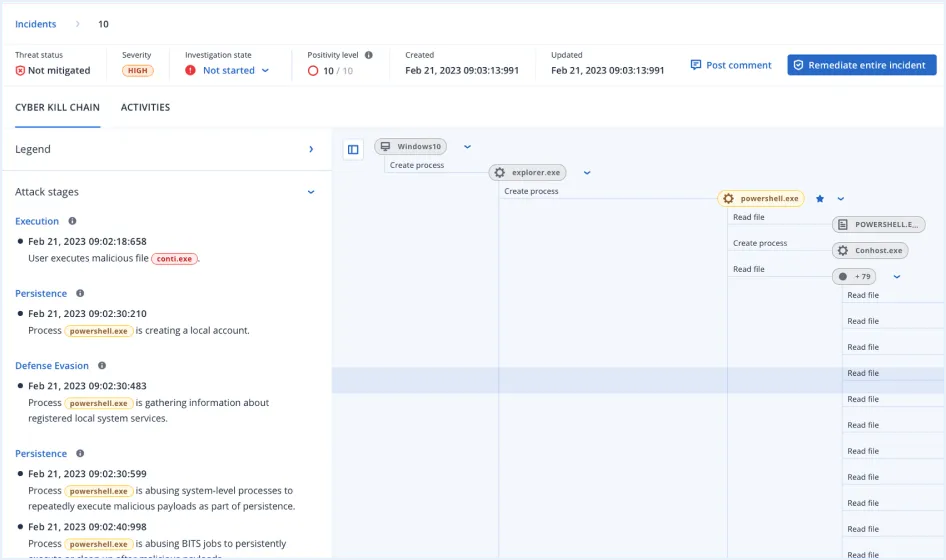
Automatic interpretation of events paired with MITRE ATT&CK®
Accelerate response and increase reactivity to threats by leveraging AI-based attack interpretations paired with MITRE ATT&CK® to understand, in minutes
- How did the attacker get in?
- How did they cover their tracks?
- What damage did the attack cause and how did it cause it?
- How did the attack spread?
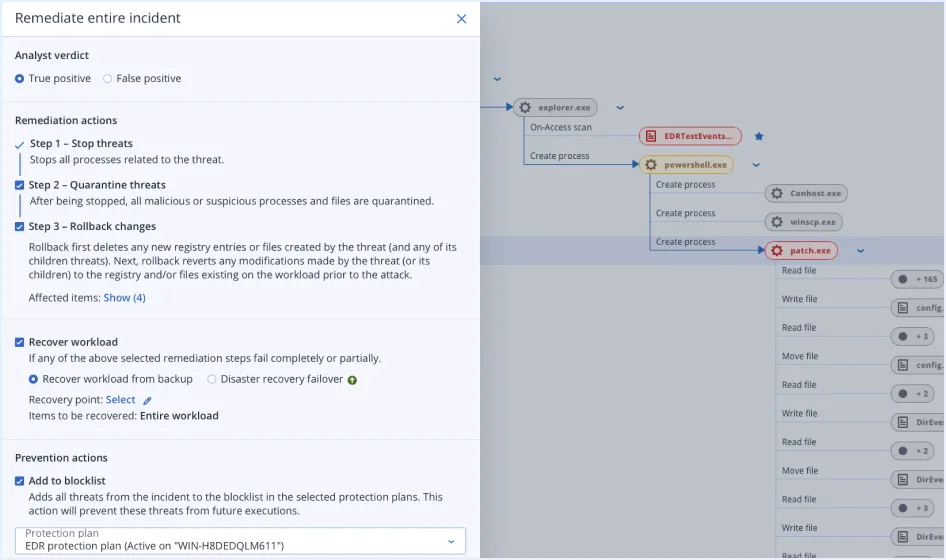
Event summaries generated by artificial intelligence (AI)
Further accelerate incident analysis and response times by leveraging AI-generated summaries that provide a brief overview of each incident.
Prioritisation of events
Focus on what's important and increase your speed of response to attacks with automated event alerts prioritised by criticality, so your team can focus on troubleshooting rather than threat hunting.
Threat containment and quarantine
Remediate attacks by stopping malicious processes and quarantining analysed threats to prevent them from being executed as part of unified, one-click response capabilities.
End point isolation
Stop attacks from spreading and affecting more endpoints; you can isolate affected points from the network to prevent lateral movement.
Recovery and full image restoration (Reimaging)
Ensure that customers' business is always up and running and that they can quickly recover data and functionality after attacks. With best-in-class backup and recovery capabilities integrated into our one-click response system, you can recover specific files or reinstall an image of the entire endpoint.
Disaster recovery failover (with Disaster Recovery)
Provide unparalleled business continuity with integrated disaster recovery. Automatically transition to a redundant, off-site environment in the event of attacks that disrupt customer business continuity.
Remote connection to the endpoint (with Management)
Investigate incidents further with secure remote connectivity to affected endpoints for troubleshooting and additional analysis purposes.
Forensics backup
Gather evidence for further investigation, reporting, compliance and legal purposes by collecting forensic information such as memory dumps and process information and storing it in tamper-proof backups.
Patch management (with Administration)
As part of a one-click response to attacks, you can close vulnerabilities to prevent recurrence of future incidents with our integrated patch management for more than 250 applications.
Event monitoring and automatic correlations
The solution tracks events at the endpoint level and automatically correlates them in per-event attack chain graphs.
Intelligent search for IoCs focussing on emerging threats
Instead of scanning hundreds of lines of logs, focus on what matters, such as indicators of compromise (IoCs) related to emerging threats from our real-time threat intelligence feeds, and automatically search for IoCs across all endpoints.
Malware protection for backups
Prevent infected files from being restored from backups with built-in malware scanning, including encrypted backups. Acronis Cyber Protect Cloud scans full-disk backups in a central location to help find malware and enable users to restore a clean and malware-free backup.
Safe recovery
Prevent dangerous infections from occurring again with Acronis' unique secure recovery technology. During the recovery process, the integrated solution scans the backup for malware, installs the latest security patches and updates antivirus databases.
Remote device wipe
Prevent business-critical data from falling into the wrong hands by remotely wiping compromised or lost Windows devices. You can prevent data from being wiped by disgruntled employees or accessed from lost/stolen devices.
General API for EDR
MSSPs and MSPs specialising in security can now more easily integrate Acronis EDR into their MDR applications: especially within technologies such as SOAR and SIEM for event enrichment, management (including response actions), workflow automation and reporting.
Enhancing Microsoft Defender AV
Acronis EDR enhances Microsoft Defender with advanced, AI-powered analysis, detection, response and recovery. MSPs gain centralised visibility, enhanced protection and built-in resiliency without replacing Defender to scale profitably.
Potentially unwanted application (PUA) protection
Protect against potentially unwanted applications (PUAs) that can degrade system performance, display annoying adverts or monitor user activity for commercial purposes. When detected, PUAs are quarantined or blocked according to policy settings and relevant details are integrated into EDR events for further analysis.
| Features | Acronis Cyber Protect Cloud | EDR | XDR |
| Behaviour-based detection | ✔ | ✔ | ✔ |
| Ransomware protection with automatic rollback | ✔ | ✔ | ✔ |
| Vulnerability assessments | ✔ | ✔ | ✔ |
| Device control | ✔ | ✔ | ✔ |
| File and system level backup | ✔ | ✔ | ✔ |
| Inventory collection (with Acronis RMM) | ✔ | ✔ | ✔ |
| Patch management (with Acronis RMM) | ✔ | ✔ | ✔ |
| #CyberFit Score (security posture assessment) | ✔ | ✔ | ✔ |
| Remote connection (with Acronis RMM) | ✔ | ✔ | ✔ |
| Optimisation including full image refresh | ✔ | ✔ | ✔ |
| Business continuity (with Disaster Recovery) | ✔ | ✔ | ✔ |
| Enhancing Microsoft Defender AV | ✔ | ✔ | ✔ |
| URL filtering | ✔ | ✔ | ✔ |
| Exploit prevention | ✔ | ✔ | ✔ |
| Real-time flow of threat intelligence | ✔ | ✔ | ✔ |
Threat hunting - Early access | ✔ | ✔ | |
Automatic, adjustable allowed list based on profiling | ✔ | ✔ | |
Forensic data collection | ✔ | ✔ | |
| Event monitoring | ✔ | ✔ | |
Automatic event correlation | ✔ | ✔ | |
GenAI assistant (Acronis Copilot - Early Access) | ✔ | ✔ | |
Prioritisation of suspicious activities | ✔ | ✔ | |
AI-generated event summaries | ✔ | ✔ | |
Automated MITRE ATT&CK® attack chain visualisation and interpretation | ✔ | ✔ | |
One-click response to incidents | ✔ | ✔ | |
Full threat containment including endpoint quarantine and isolation | ✔ | ✔ | |
Automatic response scenarios (playbooks) | ✔ | ||
Intelligent search for IoCs, including emerging threats | ✔ | ||
Attack-specific undo | ✔ | ||
Integration with Email Security (email telemetry) | ✔ | ||
Integration with Entra ID (identity telemetry) | ✔ | ||
Integration with Collaboration Security (telemetry of Microsoft 365 applications) | ✔ | ||
Delete malicious email attachment or URLs | ✔ | ||
Search for malicious attachments in mailboxes | ✔ | ||
Blocking malicious email address | ✔ | ||
Terminate all user sessions | ✔ | ||
Force user account password reset on next login | ✔ | ||
User account suspension | ✔ | ||
| MDR service | ✔ | ||
General API for EDR | ✔ |
Free Preliminary Evaluation
Your system and network infrastructure
Let's design together according to the needs of today and tomorrow.
