

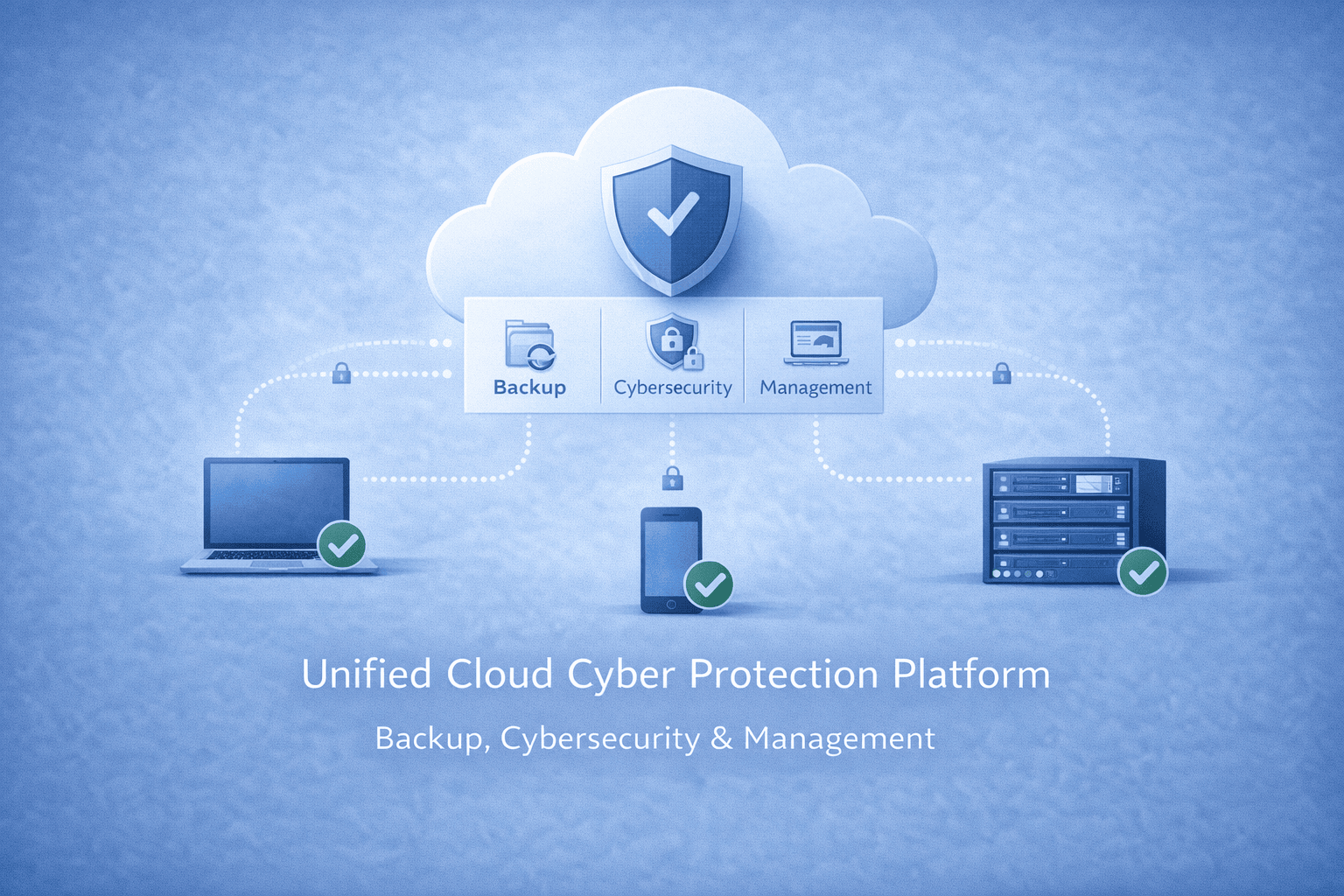
Acronis Cyber Protect Cloud
Acronis Cyber Protect Cloud is a comprehensive solution for service providers and enterprises that combines backup, disaster recovery and endpoint security on a single platform. The system offers a proactive defence against cyber threats with AI-powered ransomware protection (Active Protection) and vulnerability assessments.
The main features of the platform are as follows:
- Flexible Backup: Agentless backup for virtual environments such as Azure, Proxmox, Nutanix; disc, file and application based backup options.
- Fast Recovery: “Instant Restore” that restores systems in 15 seconds and “Universal Restore” that allows migration to different hardware.
- Data Security and Compliance: Device and port control, copy restrictions to the clipboard, encrypted backup and data leakage prevention (DLP) features.
- SaaS Protection: Full protection for Microsoft 365 and Google Workspace data.
- Ease of Management: Multi-tenant management, remote desktop support, automatic hardware inventory, RMM/PSA integrations and centralised management console.
- Advanced Features: Blockchain-based notarisation, e-signature, immutable storage and disaster recovery tests.
In short, it simplifies IT operations, reduces costs and minimises the risk of data loss by integrating cyber security, data protection and management tools.
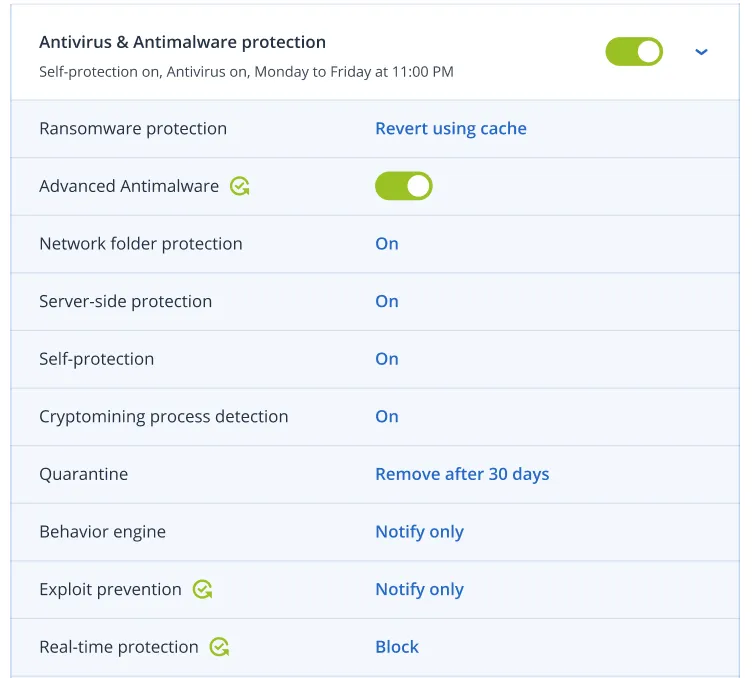
Acronis Active Protection technology
Acronis Active Protection technology Protect your customers from modern cyber threats. Our award-winning anti-ransomware technology with built-in automatic ransomware recovery is enhanced with AI-based static and behavioural anti-malware analysis that now focuses on zero-day threats.
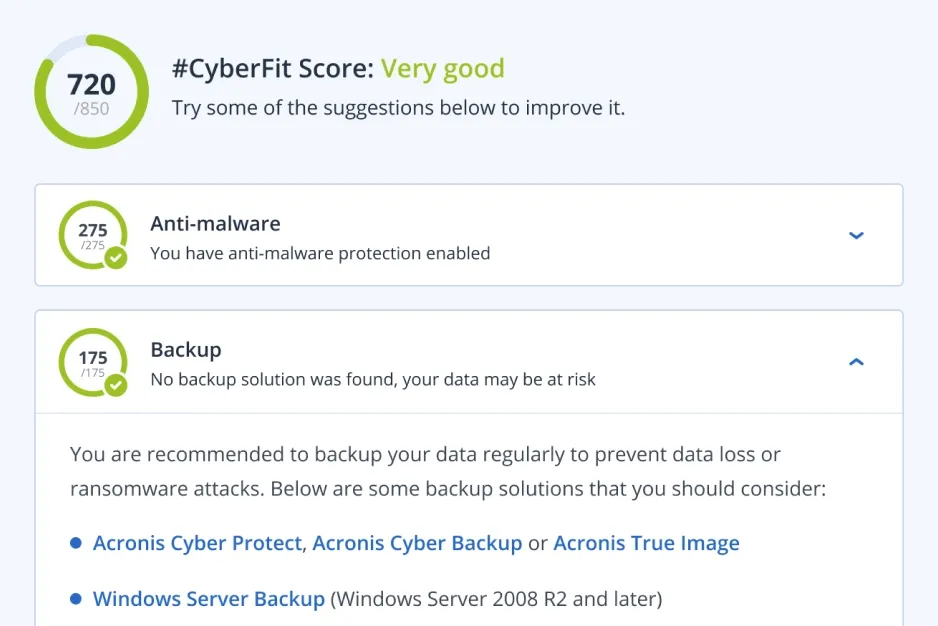
#CyberFit Score
Strengthen your customers' security posture by addressing gaps in their IT environment. The Acronis #CyberFit Score evaluates and scores a range of security metrics to identify gaps and then provides recommendations on how to improve overall security.
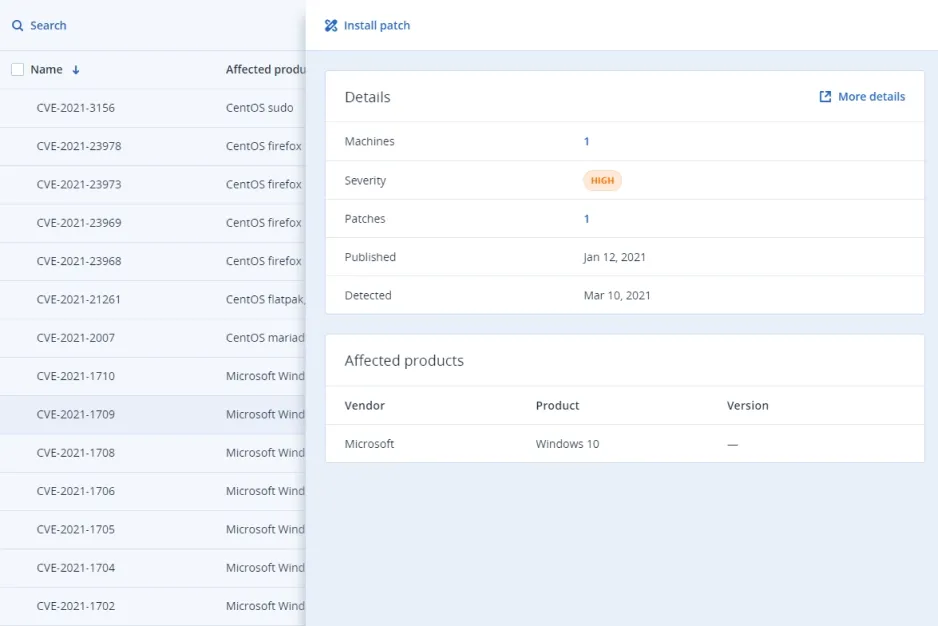
Vulnerability assessments
Identify and close vulnerabilities in your customers' systems. You can scan customer machines for vulnerabilities to ensure that all applications and operating systems are up-to-date and cannot be exploited by cybercriminals.
Native, agentless backup of Azure virtual machines (VMs)
Simplify management and reduce maintenance by protecting Azure workloads without the need for agents. Ensure reliability with multi-disc consistency while providing faster recovery times and cost efficiency with incremental snapshots.
Agentless backup for Proxmox VE and LXC containers
Acronis Cyber Protect Cloud now protects Proxmox VE virtual machines and LXC containers directly at the host layer, eliminating the need for guest agents and the overhead they create. An agent on each node discovers all workloads, takes image backups and stores them in Acronis Cloud, local network shares or any S3-compliant object storage. Through Universal Restore you can move workloads into or out of Proxmox VE and keep maintenance simple as only the host component needs to be updated.
Agentless Backup for Nutanix AHV
Simplify protection for Nutanix AHV virtual machines with our agentless backup solution. Easily back up to Acronis Cloud, Nutanix storage or public clouds. Enjoy universal cross-platform workload migration to and from Nutanix AHV, as well as full image or file-level recovery.
Multiple backup types
Back up discs/volumes (with all information needed to boot the operating system), individual files or folders, system states (for Microsoft Windows systems), or ESXi configurations.
Device and port control
Strengthen data security and prevent leakage of sensitive information over local channels with granular, context-sensitive controls (even for virtualised sessions) over user access to and data operations on locally connected devices and ports.
Clipboard control
Prevent data leakage at the earliest stage by controlling data transfer between applications and documents. Allow or block user access to objects of different data types copied to the clipboard, even for BYOD devices routed in virtualised sessions.
Device control: support encrypted removable media and screenshot capture access
Eliminate the risk of data leakage with encrypted removable media and screenshot capture control. This enables users to keep sensitive information within their organisation in case a removable device falls into the wrong hands, or prevents screenshots from being copied to the clipboard. Keeping your customers' sensitive data safe and secure.
Acronis Instant Restore
Reduce RTOs (Recovery Time Objective) to as low as 15 seconds with the ability to restore the system by booting directly from backup as a virtual machine without moving any data.
Acronis Universal Restore
Reduce the time spent on recovery tasks. Acronis Universal Restore makes recovery to different hardware faster by detecting the machine type and automatically installing the appropriate drivers for the hardware.
Google Workspace data protection
Protect customer data stored in Gmail, Drive (including Team Drives), Contacts, and Calendar by backing it up for fast and reliable recovery.
Complete Microsoft 365 protection
Protect Microsoft Exchange Online, OneDrive for Business, Microsoft Teams, and SharePoint Online data with comprehensive cloud-to-cloud backup and restore.
Backup encryption
Maintain regulatory compliance and strengthen data protection by securing your backups for data in transit and at rest with AES-256 data encryption, so only you can access the data.
Deduplication
Minimise storage requirements by detecting data duplication in backups and not storing the same data more than once. Deduplication also reduces network load because duplicate data is not transferred over the network to backup storage.
Report scheduling
Increase information security visibility and simplify IT security auditing with the ability to send scheduled reports to listed recipients in the desired format and language.
Enabling services and offer items as multi-tenant
Save time and effort with an up-to-date hardware inventory. Discover all hardware assets with automated and on-demand scans. Generate hardware inventory reports, scan and filter records by multiple criteria, and automatically delete them when a machine or tenant is removed.
Monitoring and reporting
Simplified, at-a-glance reporting streamlines operations while giving your technicians the insight they need to support your customers. Customise dashboard tools (widgets) to display a wide range of reports, allowing you to quickly identify and troubleshoot problems.
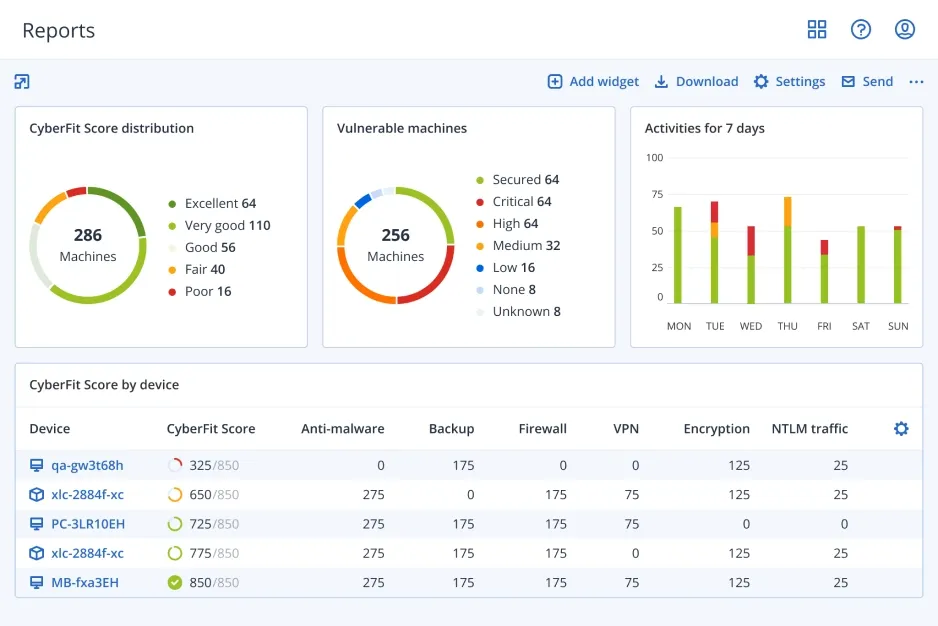
Central protection plans and group management
Streamline administrative efforts with the ability to group manage multiple workloads and centralised protection plans that include all security configurations applicable to multiple endpoints across your customer's organisation.
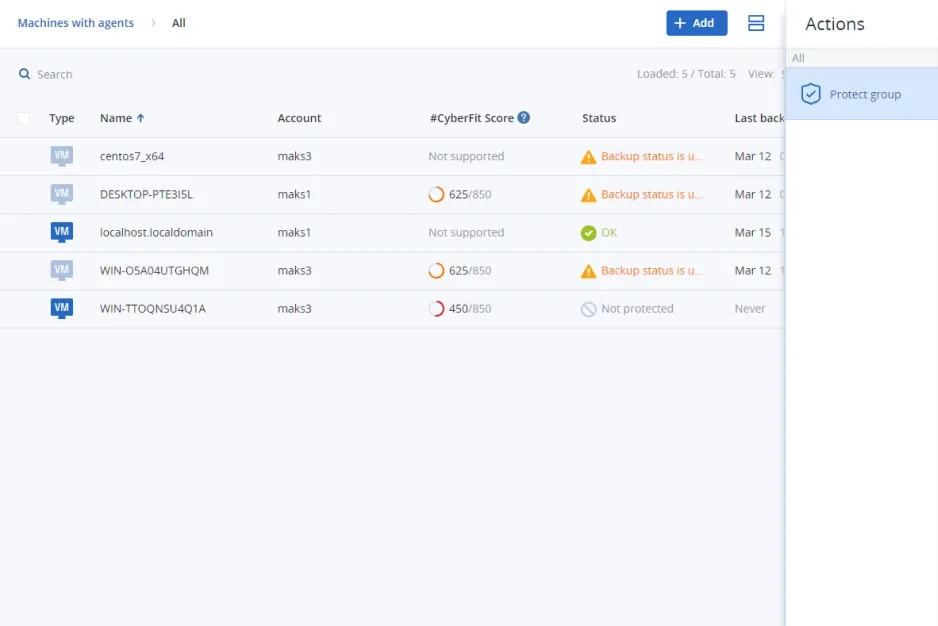
Automatic discovery and remote installation
Simplify onboarding by installing multiple agents simultaneously in the cloud and on-premises. With network-based and Active Directory-based discovery, your technicians can easily install and execute protection plans remotely, helping keep your customers safe.
Pre-defined protection plans
Protect your customers' remote and office workers quickly and easily by choosing from three pre-configured protection plans. These options save you time while ensuring your customers' workloads and environments are protected.
Remote desktop assistance
Enable secure, off-site access to machines to facilitate remote working for users or provide technical support to customers with built-in remote desktop capabilities.
Hardware inventory collection
Save time and effort with an up-to-date hardware inventory. Discover all hardware assets with automated and on-demand scans. Generate hardware inventory reports, scan and filter records by multiple criteria, and automatically delete them when a machine or tenant is removed.
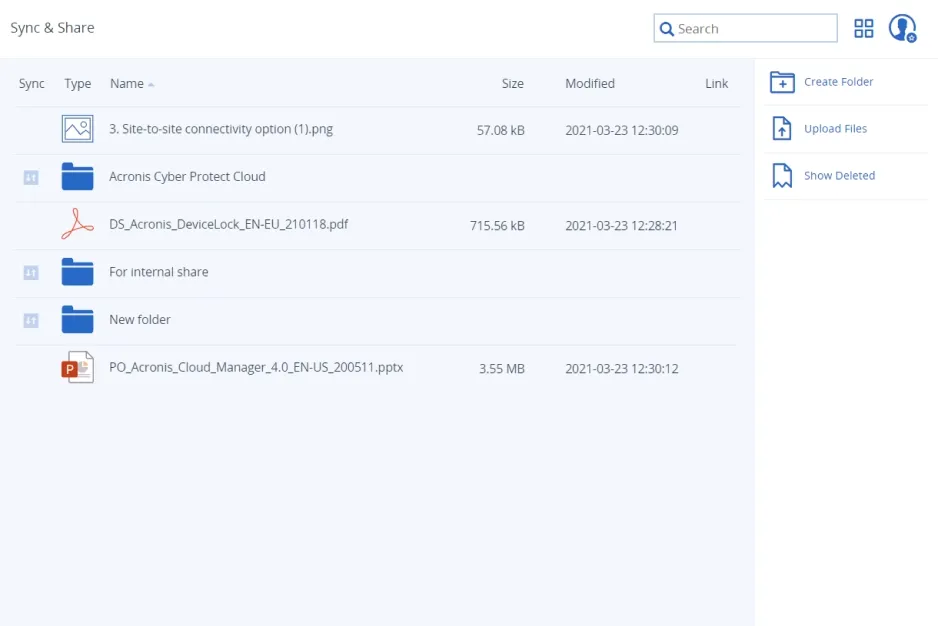
Secure file synchronisation and sharing
Enable customer productivity by providing convenient, secure file synchronisation and sharing capabilities. Users can securely create, edit and share content using their own devices with pay-as-you-go pricing.
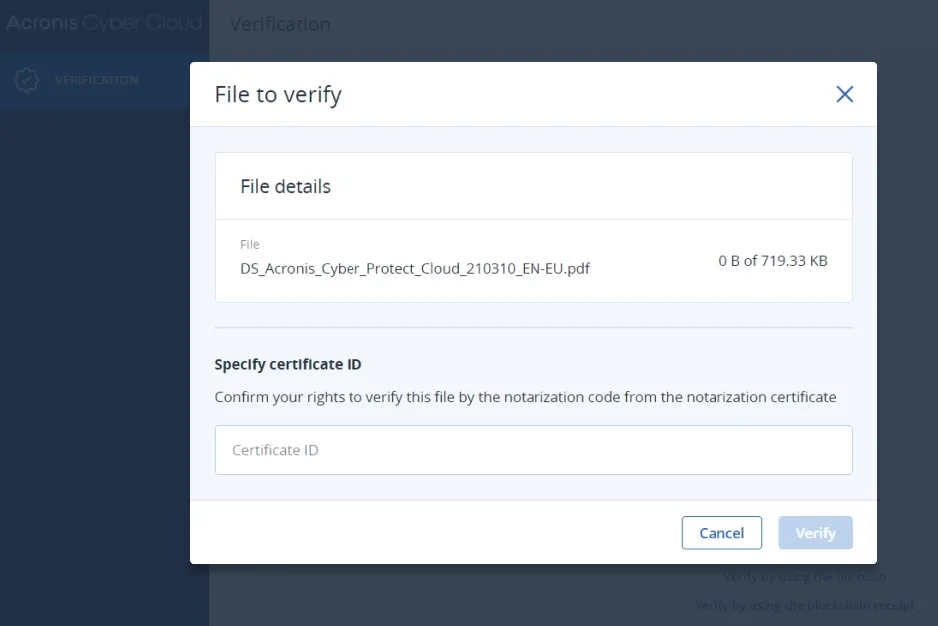
Notarisation
Offer proof of the authenticity of their data by giving customers the ability to notarise any file type, which creates a certificate containing unalterable, publicly verifiable proof of the file's timestamp, integrity and authenticity. Based on a pay-as-you-go pricing model.
Multi-tier and multi-user management
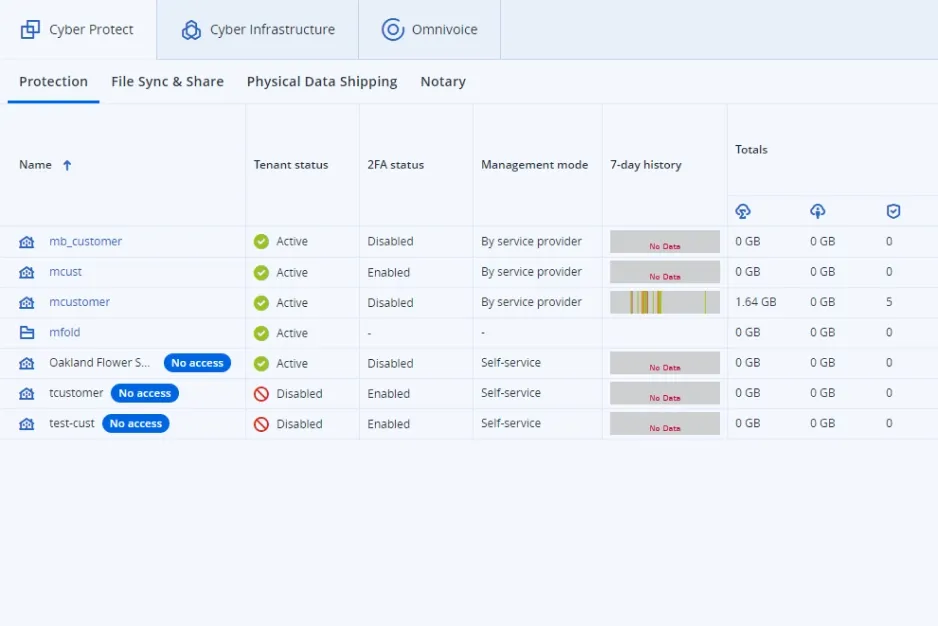
Count on optimum administrative efficiency: Create customer or partner accounts in seconds, customise unique offers and manage quotas, features and administrative privileges using vertical grouping.
Electronic signing
Strengthen process compliance by allowing customers and their third parties to e-sign documents with publicly verifiable proof of the signature's timestamp and authenticity. Based on pay-as-you-go pricing.
Test failover in isolated network environments
Verify the integrity and effectiveness of disaster recovery plans by executing them through the web console in an isolated network environment without disrupting other processes.
Point-to-site VPN connection
Enable customers to quickly and easily access files from the local site or cloud. With the Business VPN feature, customers in DR (Disaster Recovery) enabled tenants can establish a secure connection from their personal devices to the corporate network to access the data they need.
Firewall policy management
Easily manage firewall policies for your customers' disaster recovery servers on their behalf through the Acronis Cyber Protect Cloud console. This allows you to simplify the support process and manage outgoing and incoming firewall policies.
Simple, pay-as-you-go pricing
%100 kullanım başına ödeme lisanslama modeli ve ücretsiz işlevselliklerle müşterilerinizin dinamik ihtiyaçlarını karşılayın.
Integration with PSA and RMM systems
Deliver services instantly using native integrations with ConnectWise (Automate, Manage, Control), Atera, Autotask, Kaseya, cPanel, HostBill, CloudBlue, Plesk and WHMCS.
Integration with special systems
Assimilate systems by leveraging a powerful RESTful management API or enabling integration through the Acronis Cyber Backup Cloud Application Packaging Standard (APS).
Ransomware-resistant backups
Immutable storage ensures that backups cannot be encrypted or deleted by a ransomware attack or malicious users, so you can quickly recover to the last clean state.
Acronis Cyber Protect Cloud for VMware Cloud Director
Designed for public, private and hybrid clouds built on VMware Cloud Director. It is installed and configured by a provider and protects tenants by enabling them to perform backup and recovery operations within their own Cloud Director user interfaces.
Acronis Cyber Protect Cloud for VMware Cloud Director
Designed for public, private and hybrid clouds built on VMware Cloud Director. It is installed and configured by a provider and protects tenants by enabling them to perform backup and recovery operations within their own Cloud Director user interfaces.
Full or detailed recovery of MariaDB and MySQL databases
During the backup of the entire workload, Acronis collects metadata for each database running on it. You can browse the databases and/or recover data and tables in full or in detail without recovering the entire workload.
Application cluster backup and restore
Ease the IT management burden with built-in capabilities for easy backup and recovery of Microsoft Exchange, Microsoft SQL Server and Oracle DBMS Real Application clusters.
SAP HANA backup
Create static or dynamic groups based on your Azure AD data and simplify protection management for multiple Microsoft 365 and Google Workspace users, eliminating the need to configure protection for each user (seat) separately.
Group management for Microsoft 365 and Google Workspace
Create static or dynamic groups based on your Azure AD data and simplify protection management for multiple Microsoft 365 and Google Workspace users, eliminating the need to configure protection for each user (seat) separately.
Adjustable backup frequency for Microsoft 365 and Google Workspace
Reduce RPO and improve business continuity by backing up your user data up to 6 times a day. Minimise potential data loss and minimise downtime by recovering quickly from incidents.
Integration with PSA and RMM systems
Deliver services instantly using native integrations with ConnectWise (Automate, Manage, Control), Atera, Autotask, Kaseya, cPanel, HostBill, CloudBlue, Plesk and WHMCS.
Off-host data processing for backup operations
Reduce the burden on your customers' workloads by moving backup replication, verification, retention and conversion to VM operations to another machine. These operations can be scheduled independently.
Data protection mapping and compliance reporting
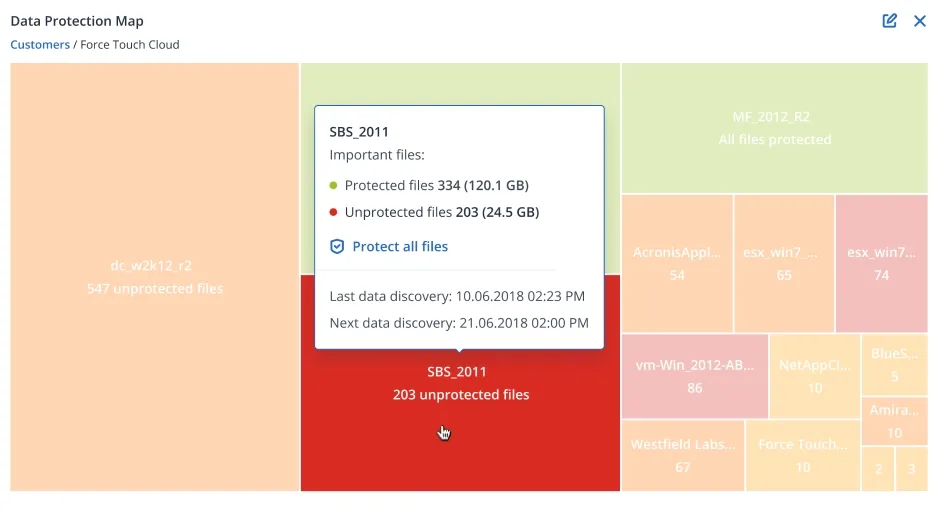
Ensure critical data is protected for compliance reporting with a data protection map. Use automatic data classification to monitor the protection status of important files and alert administrators if sensitive customer data is not backed up.
Continuous data protection
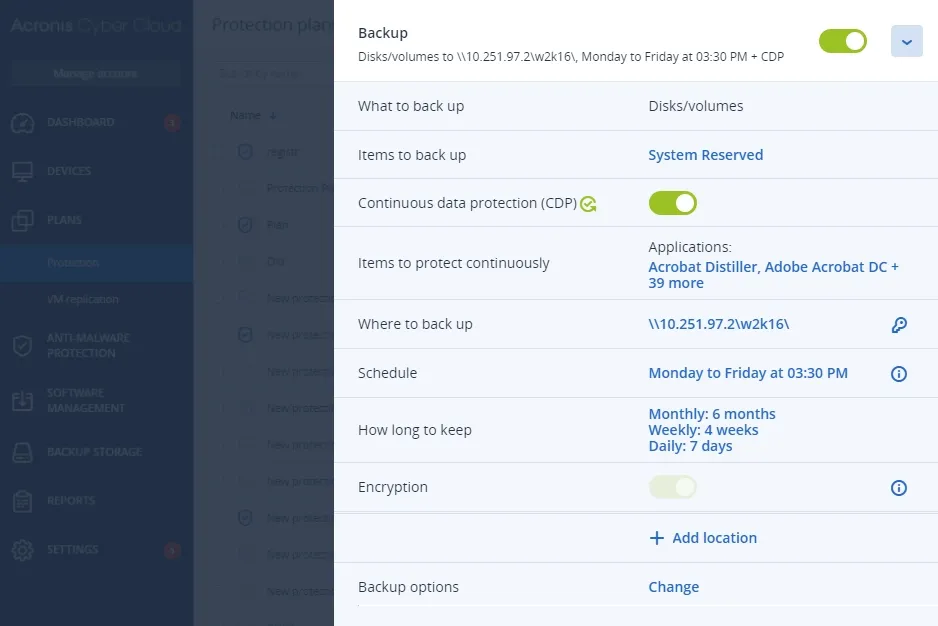
Ensure that users do not lose their work in progress by defining a list of critical applications that they use frequently. The Acronis agent monitors every change made to the listed applications and continuously backs them up between scheduled backups so that no data is lost.
Full or detailed recovery of MariaDB and MySQL databases
During the backup of the entire workload, Acronis collects metadata for each database running on it. You can browse the databases and/or recover data and tables in full or in detail without recovering the entire workload.
Application cluster backup and restore
Ease the IT management burden with built-in capabilities for easy backup and recovery of Microsoft Exchange, Microsoft SQL Server and Oracle DBMS Real Application clusters.
SAP HANA backup
Create static or dynamic groups based on your Azure AD data and simplify protection management for multiple Microsoft 365 and Google Workspace users, eliminating the need to configure protection for each user (seat) separately.
Group management for Microsoft 365 and Google Workspace
Create static or dynamic groups based on your Azure AD data and simplify protection management for multiple Microsoft 365 and Google Workspace users, eliminating the need to configure protection for each user (seat) separately.
Adjustable backup frequency for Microsoft 365 and Google Workspace
Reduce RPO and improve business continuity by backing up your user data up to 6 times a day. Minimise potential data loss and minimise downtime by recovering quickly from incidents.
Integration with PSA and RMM systems
Deliver services instantly using native integrations with ConnectWise (Automate, Manage, Control), Atera, Autotask, Kaseya, cPanel, HostBill, CloudBlue, Plesk and WHMCS.
Off-host data processing for backup operations
Reduce the burden on your customers' workloads by moving backup replication, verification, retention and conversion to VM operations to another machine. These operations can be scheduled independently.
Free Preliminary Evaluation
Your system and network infrastructure
Let's design together according to the needs of today and tomorrow.
