


Acronis · Continuity
Acronis Advanced Backup
Back up workloads on 25+ platforms and restore them fast.
What does it do?
An advanced backup layer that protects physical, virtual, cloud and mobile workloads at file or disk-image level, with continuous data protection and fast recovery options.
Which needs does it address?
- Minimising data loss on critical data since the last backup
- Backing up workloads across different platforms from one place
- Reducing backup storage costs
File and disk-image backup
Flexible backup types to suit your needs
Continuous data protection (CDP)
Also protects changes to important files between scheduled backups
Deduplication
Saves storage space by removing repeated data
Migration
Moving workloads between platforms
Disk health monitoring
Alerts that predict failures before they happen
Central console
Managing all backups from a single screen
- Scenario 1Hourly and continuous backup of the ERP database
- Scenario 2Backing up branch file servers to a central cloud
- Scenario 3Planned replacement of ageing disks in advance
Assessment
We review your current backup, security and licence status.
Deployment
We install agents and policies and carry out the first backups and tests.
Management
Monitoring, incident response and reporting according to your scope.
Service scope and support model are defined around your organisation’s needs.
Product screens
Advanced Backup at a glance
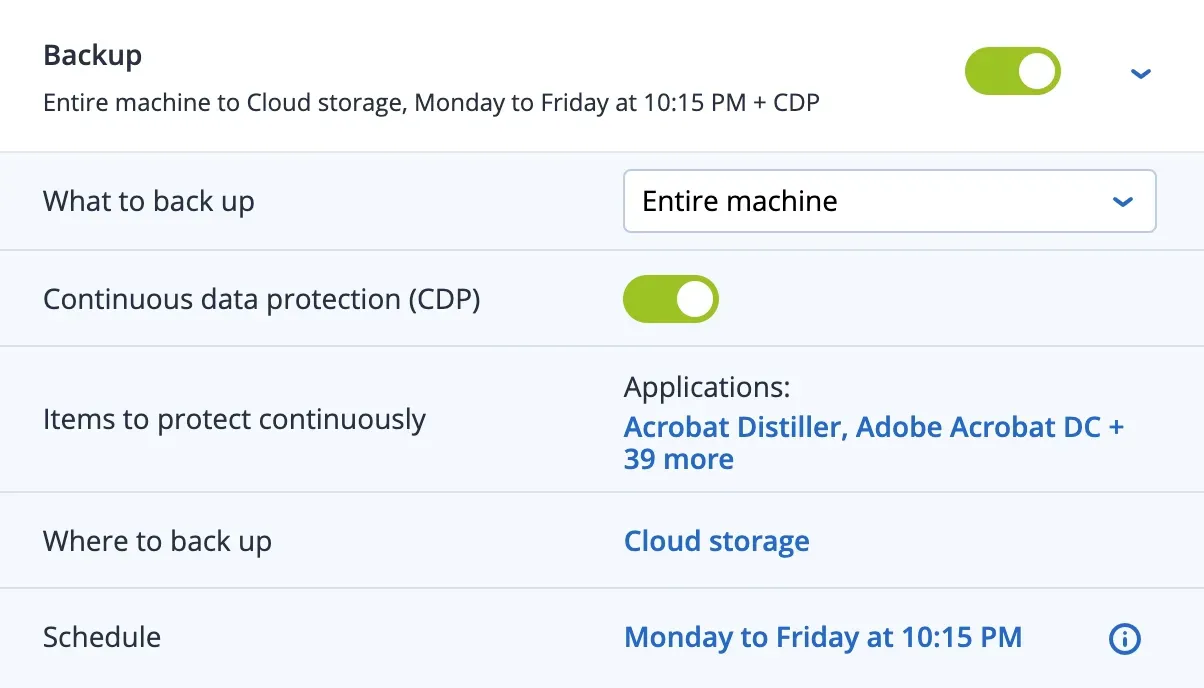
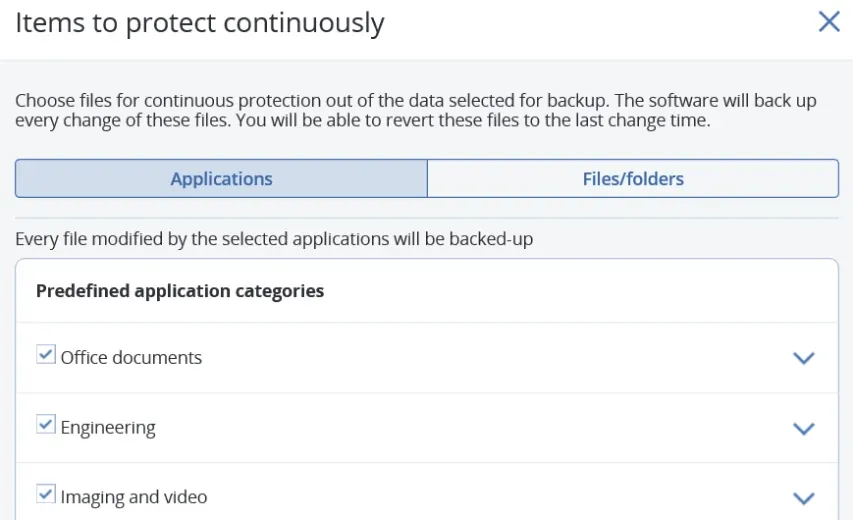
Screenshots: Acronis product interface.